| Controller | How to Identify | Outside Image | Inside Image |
|---|---|---|---|
| 1st Gen. | The 1st gen controllers can be identified by the 5 LED lights on the front panel as well as a single RED information LED light on the pc board. Some models in the first generation had a speed control knob and others did not. The LED light on the pc board gives an indication of any alarm codes the board might have. | 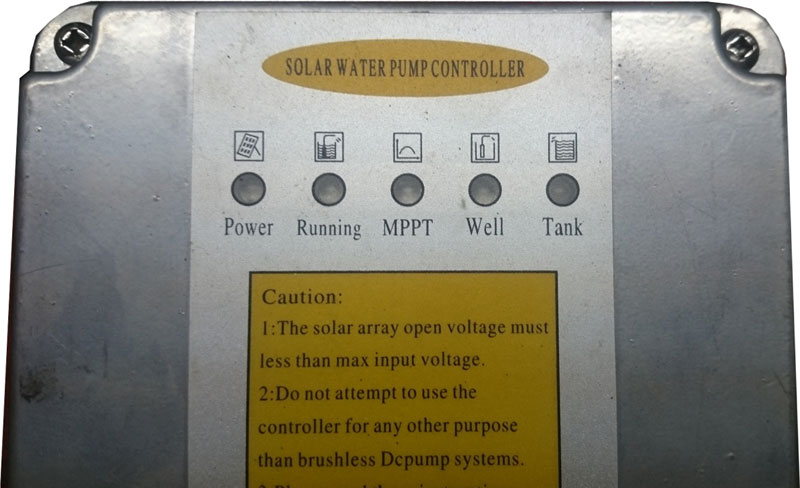 |
 |
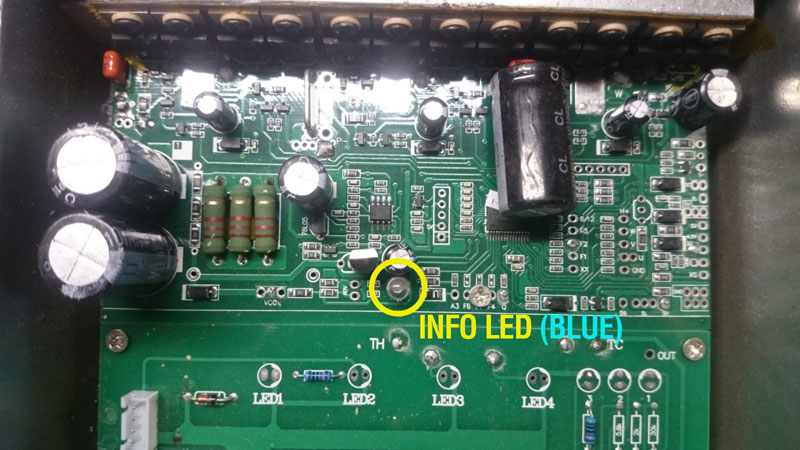
| 2nd Gen. | The 2nd generation controllers can be identified by 5 LED lights on the front panels (The same as the first generation) as well as a BLUE information LED light on the pc board. These units were supplied without speed controls. The LED light on the pc board gives an indication of any alarm codes the board might have. | |
 |
| 3rd Gen. (Current) | The third generation controller is easily identifyable from the outside as this model has 7 LED lights on the front panel. |  |
Back to Models
What's the problem?
Identifying Controller Generation
This guide is rated 3 out of 5.
Did this help you?